

You reach for your phone, but the page will not load. The home router is off and messages are waiting to send. In that moment, reliable information matters more than the number of apps on the screen. A useful emergency communication plan gives you several possible routes, with enough paper information to keep making decisions when none is working perfectly.
Begin by separating the problems. No broadband does not always mean no mobile service. A failed voice call does not necessarily mean a text will also fail. A charged phone is useful, but it cannot repair a damaged mast or a wider network fault. Knowing those limits helps you use the options you actually have.
Your plan should cover receiving official updates, contacting the people who expect to hear from you and seeking help when needed. Keep it simple enough for another household member to follow. The person who usually handles the technology may not be there when the connection disappears.
Find out which connection is unavailable
Check the immediate situation without repeatedly restarting everything. Has the router lost power? Does the phone show any network connection? Is the problem with one app or with several services? A brief check can prevent you using the last phone battery on a home-broadband fault that has already been explained by the power cut.
Use a provider's official status information if another connection is available. Note what is confirmed and what is only a possibility. A local internet failure does not establish that the cause is a cyberattack or a national emergency. Avoid filling a gap in information with a dramatic explanation.
If you have an urgent threat to life, seek emergency help rather than spending time diagnosing routine connectivity. In the UK, attempting 999 or 112 from a mobile can connect through another available network for emergency calls. That still requires a usable network; it is not a guarantee of service everywhere.
Prepare a paper information sheet
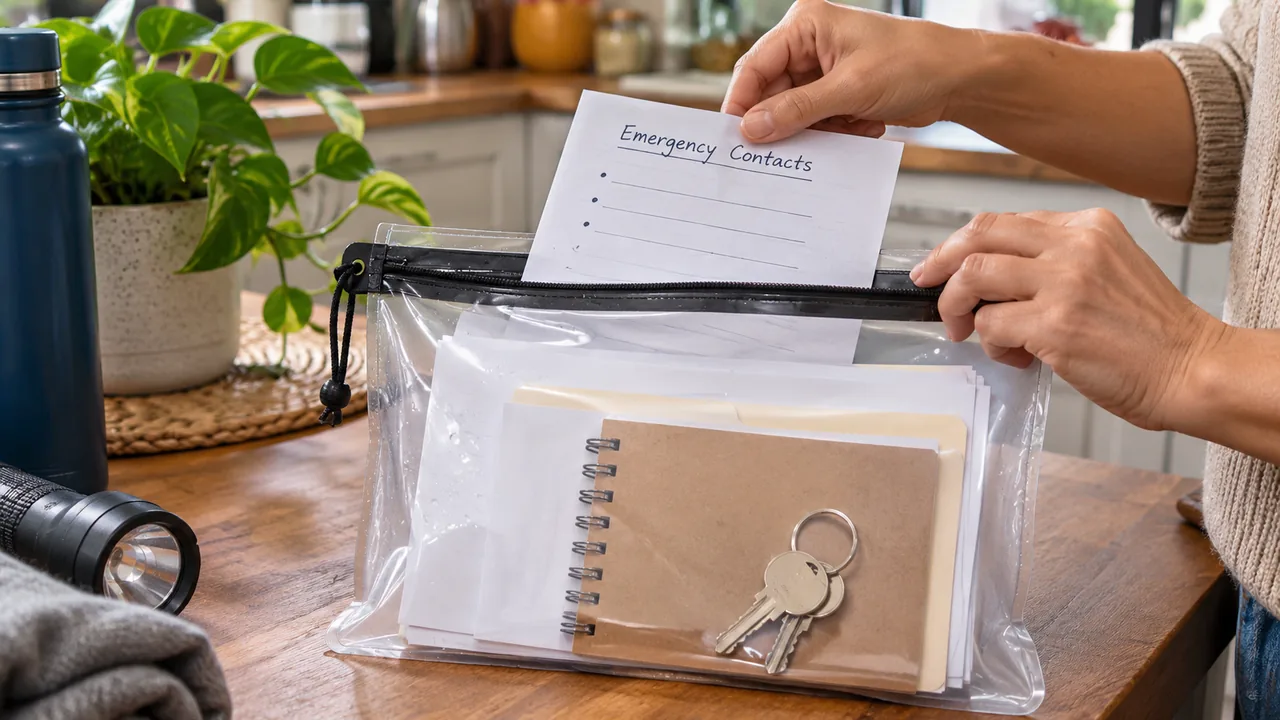
Write down essential contact numbers, addresses and useful references while the systems work. Include household members, a trusted person outside the immediate area, relevant carers, school contacts, utility providers and insurance details where useful. Keep private information secure and share it only with the people who need it.
Add the details that are easily forgotten: the correct electricity reporting route, how to contact the water provider and where to find official local information. If an account reference is genuinely needed to report a fault, record it securely. Do not put passwords or full financial access details on a sheet that will be carried casually.
Keep the sheet concise and dated. A current page that someone can read in dim light is more useful than a large folder of old printouts. Review it when a number, care arrangement or address changes, and make sure more than one responsible person knows where it is.
Give radio a practical role
A battery or wind-up radio can receive broadcasts without the home router. It may provide news and official updates during disruption, subject to reception and the availability of broadcasts. It does not need to replace every digital service to earn a useful place in the household kit.
Tune it before an emergency. Check reception in the room where you are likely to use it, learn the controls and note suitable national or local stations. Keep the required batteries or charging arrangements with it. A feature list on a box is not the same as a station you can hear clearly at home.
For a person with hearing loss or another accessibility need, arrange additional routes to information. Written updates, a trusted contact or accessible provider channels may be important. A radio should expand your options, rather than become the only method everyone is expected to use.
Understand what emergency alerts can and cannot do
The UK Emergency Alerts system broadcasts through compatible mobile networks to devices in the affected area. Government guidance says it does not require mobile data or Wi-Fi, but the device still needs compatible service and conditions. A phone that is off, incompatible or without an available relevant network may not receive an alert.
Do not assume that putting a phone in airplane mode is harmless if you are depending on mobile warnings. Consider battery conservation alongside the need to receive messages. Keep the device available in the way your plan requires and use other sensible power-saving measures where appropriate.
Not every incident produces a national phone alert. Utility notices, local warnings and emergency-service instructions remain important. Keep several information routes rather than treating the absence of a phone warning as proof that everything is safe.
Use texts and short messages where appropriate
If ordinary calls are struggling but the phone has service, a standard text may sometimes get through. Keep it brief and useful: where you are, whether you need assistance and when you expect to check in again. Delivery is not guaranteed, so do not assume a message has arrived simply because you pressed send.
Avoid repeatedly calling several people to report the same facts. Agree one trusted contact who can pass an update to others when possible. That can reduce battery use and confusion, particularly if a household is moving between locations.
Do not use an ordinary family message as a substitute for an emergency call when immediate help is needed. Follow the appropriate emergency-access arrangements for your circumstances, including any accessible service arrangements established in advance. The family communication plan supports emergency response; it does not replace it.
Check digital landline and telecare arrangements before an outage
Many landline services now depend on powered equipment in the home. A familiar handset does not prove the connection will work without electricity. Ask the provider what your service requires, what backup exists and how long it is designed to operate.
Ofcom says people who depend on their landline for emergency contact should tell the provider about their needs, particularly if they lack a working mobile or reliable mobile signal. Relevant backup and support arrangements should be discussed beforehand. Check your actual provision rather than relying on a neighbour's different service.
Telecare equipment needs specific attention. Contact the telecare and communications providers about compatibility, power backup, testing and the response if connectivity is lost. Keep the agreed instructions with the care information. Do not test an emergency system through an improvised disconnection without the provider's procedure.
Keep an offline copy of useful information
Save relevant documents, maps and contact details in a format that can be opened without logging into a live service. Test access in an ordinary safe setting. A file that appears in a cloud folder may still require a download or authentication when you try to use it.
Keep the most important information on paper as well. Offline digital material still needs a working device and power. A printed address, route note or medical contact can be useful when a battery fails or a phone is damaged.
Choose the information carefully. You do not need a huge collection of survival downloads to make a useful start. Focus on what supports your household's real decisions: contacts, access needs, local official sources, safe destinations and instructions for essential equipment.
Verify the source, time and location of an update
A message can be accurate and still be irrelevant to your street or out of date. Before acting, ask who issued it, when it was published and which area it covers. Where possible, open the responsible organisation's site independently instead of following an unfamiliar forwarded link.
Distinguish a forecast from an observation and a restoration estimate from a guarantee. If you tell someone else, preserve the qualification. Saying that the operator 'estimates' a time is more useful than turning it into a promise that may be repeated across several group chats.
Avoid sharing screenshots of warnings without context. A copied image can lose the date, location and later correction. If you cannot confirm a claim, describe it as unverified rather than adding a dramatic caption. The alert verification guide explains further checks.
Keep communication devices powered for the tasks that matter
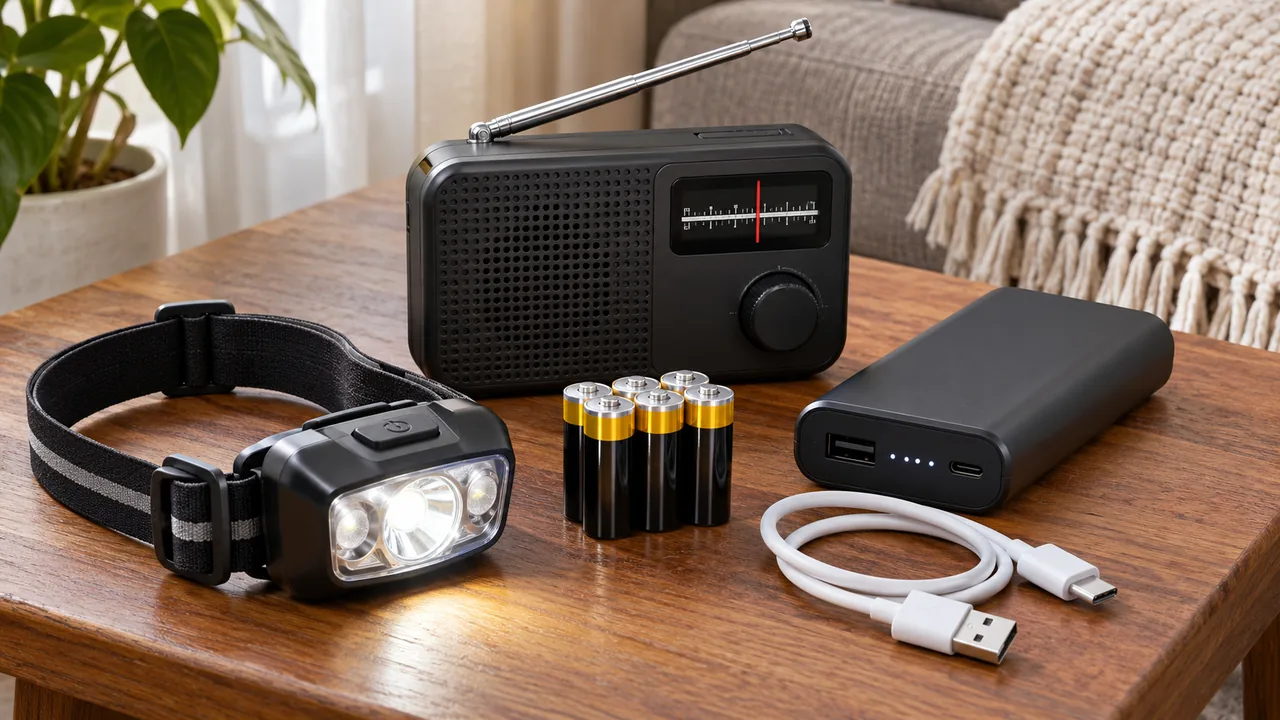
Charge devices before forecast disruption where practical. Keep a suitable power bank and the right cable available, and check that the combination works. Use low-power settings and reduce unnecessary screen activity. A battery lasts more usefully when it supports a clear communication purpose.
Decide which device has priority if several people share limited charging. Essential contact and an agreed care requirement may come before entertainment. Keep medical equipment on its approved backup arrangement rather than attaching it to a consumer power bank without supplier approval.
Avoid unsafe charging methods. Do not run a vehicle in an enclosed garage to use its sockets, and do not improvise electrical connections. If you use a portable battery, follow its instructions and protect it from heat, water and damage. A working communications plan should not create another emergency.
Agree meeting arrangements that do not depend on a live message
Decide what the household should do if you cannot contact one another. Choose suitable meeting points for different situations, including one outside the immediate area if the usual place becomes inaccessible. Check access and make sure children understand only the parts appropriate to their age.
Coordinate with school, childcare and workplace arrangements. Do not assume that a family plan overrides their safeguarding or emergency procedures. Know how they will communicate, who can collect a child and what happens if the usual collector cannot travel.
Keep the plan flexible enough for the actual incident. A meeting place inside a flood zone or an area under evacuation is no longer useful. Follow official instructions and use the agreed alternative where appropriate. Planning reduces uncertainty, but it should not send people towards a new hazard.
Check on others through safe, agreed arrangements
If someone relies on a check-in, agree what happens when contact fails. A delayed response may reflect network problems, so avoid immediately treating silence as proof of danger. Equally, a time-critical care need may require action through a specific support route.
Set reasonable expectations beforehand. Who checks, by which method, after what interval and with what backup? Obtain consent before sharing personal details. A group chat can help organise ordinary support, but it should not become a public list of sensitive medical information.
Do not put yourself at risk to restore contact. Avoid entering damaged properties or travelling through hazardous conditions. If you have a justified concern that someone faces immediate danger, use the appropriate emergency route rather than trying to solve it through repeated social messages.

What to do when every route seems unavailable
Focus on the information and instructions you already have, the safety of your immediate surroundings and the household's essential needs. Keep devices available for later connection without spending all their energy on constant retries. Use a working radio or safe local information source if available.
Do not leave a safe location purely to chase a signal through dangerous weather or an affected area. Consider whether travel is necessary, permitted and safe. A known suitable place with confirmed services may be useful, but an unverified rumour about connectivity should not decide the journey.
Maintain the ordinary plan for food, water, care and temperature. Communication is important, but it is one part of the household response. A clear routine can keep everyone safer while you wait for a usable update route or follow instructions already issued.
Review the plan when service returns
Tell the people who expect an update that the situation has changed. Check whether any message failed or arrived late, and avoid responding to an old instruction without checking its time. Clear duplicated or outdated plans so that the household is working from the same current information.
Recharge equipment and update the paper contact sheet if a number or route did not work. Check telecare or other essential services through the provider's recommended procedure. Record any follow-up question while the experience is fresh.
The best improvement may be small: a printed address, a radio tuned in advance or a clearer family check-in. A communication plan succeeds through usable options and shared understanding, not through the promise that one technology will always work.
Make one contact card easy to use
Choose the few numbers a responsible person would need first, with a short note explaining each role. Keep the trusted family contact separate from the electricity operator, water provider and clinical contact so that an unfamiliar helper can choose the right route.
Add the address of any agreed destination and the condition that must be checked before travelling. A relative's address can be correct while the property shares the same disruption. Write that distinction clearly rather than relying on the usual organiser to explain it later.
Test the card without opening your phone. Could another adult identify whom to contact about an outage, where the household would go and which information remains private? Revise unclear wording and remove obsolete numbers. The card should make an ordinary decision easier, not become a list so long that the useful contact disappears among irrelevant entries.
Keep the review date visible and replace copies together when details change. That prevents a bag, kitchen folder and car from quietly holding different versions.
Frequently asked questions
Will a UK emergency alert arrive without internet?
It can, because the system uses compatible mobile network broadcasts rather than requiring Wi-Fi or mobile data. That does not mean every phone in every situation will receive it. Device compatibility, settings, power and network availability matter. Keep other official information routes and do not treat the absence of an alert as proof there is no local risk.
Is a radio useful if I already have a smartphone?
It provides another possible route to broadcasts when broadband or mobile services are disrupted. Test reception, learn the controls and keep suitable power available. A radio cannot guarantee every update and may not meet every accessibility need, so it should complement your phone, paper information and agreed contacts rather than replace the whole plan.
Should I keep calling if a family member does not answer?
Use the agreed check-in plan and consider that networks may be busy or unavailable. A brief text may be useful if service exists, but delivery is not guaranteed. If there is a specific urgent concern, use the appropriate support or emergency route. Repeated calls without a plan can use batteries and add confusion without establishing the person's situation.
Does a digital landline work when the router is off?
Many digital landline arrangements need powered equipment and will not work through an outage without suitable backup. Ask your provider about your specific service and any support you need, particularly if you rely on it for emergency calls or telecare. Check the approved backup duration and testing process before an interruption rather than assuming the handset is independent.
Should I switch my phone off to save power?
Consider what you need it to receive. A switched-off phone cannot receive ordinary calls or mobile alerts at that time. Use appropriate battery-saving settings and a planned charging arrangement, while keeping essential contact available. Your household and care needs should guide the decision; there is no single battery-saving instruction that fits every emergency situation.
Sources and further reading
Ofcom: staying connected in severe weather